Most Common WordPress Fixes
We get lots of support requests that end up being common things, all with very easy fixes. Here is a tutorial on the most common WordPress fixes.
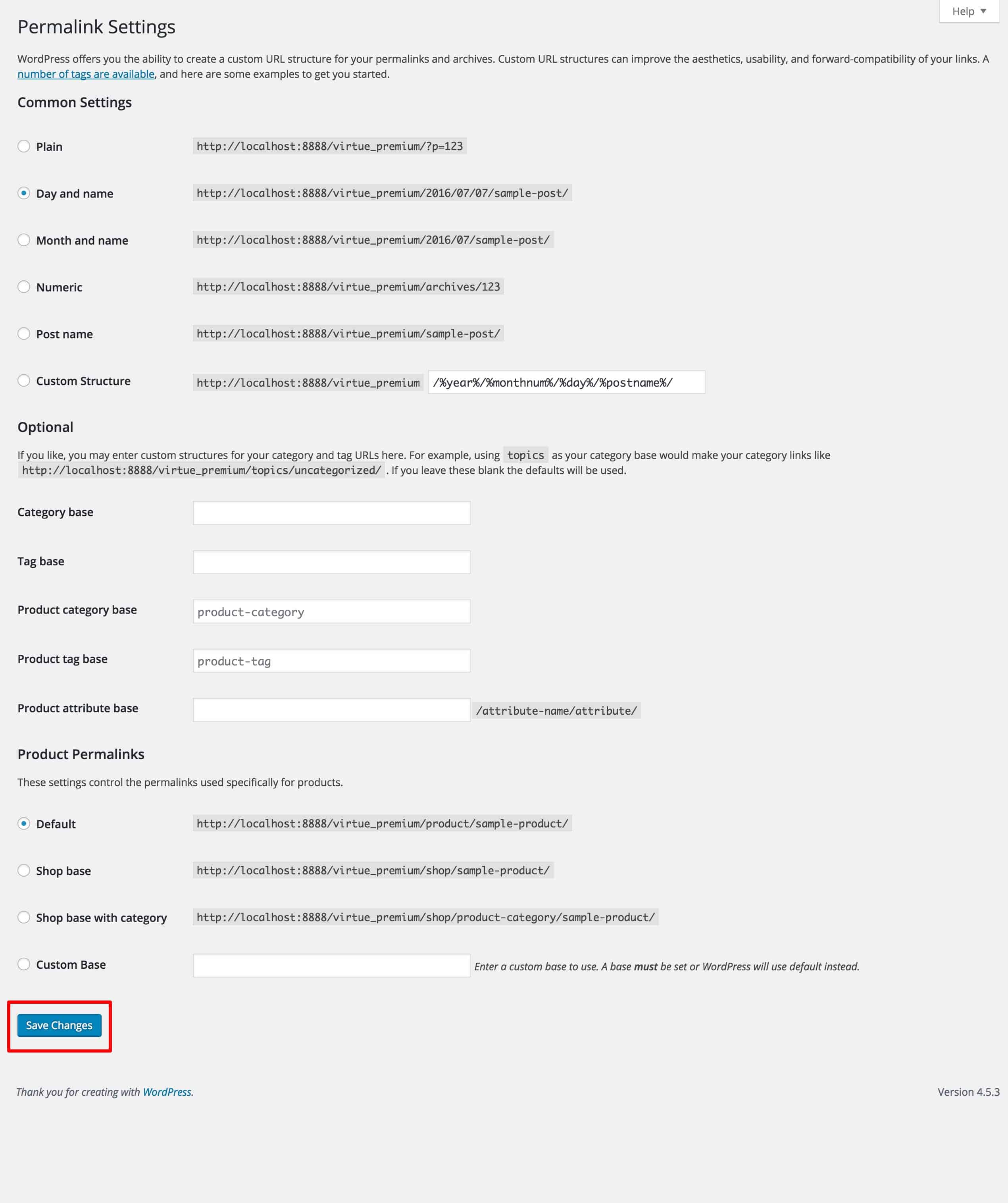
Re-Saving Permalinks
If you ever run into a page that comes up with a 404 not found error or your backend is working and all you can see is a blank page on your front end, do this first:
- Go to Settings > Permalinks
- Scroll down to the bottom of the page and click save.
(You don’t even have to change the permalink type.)
Deactivate Plugins
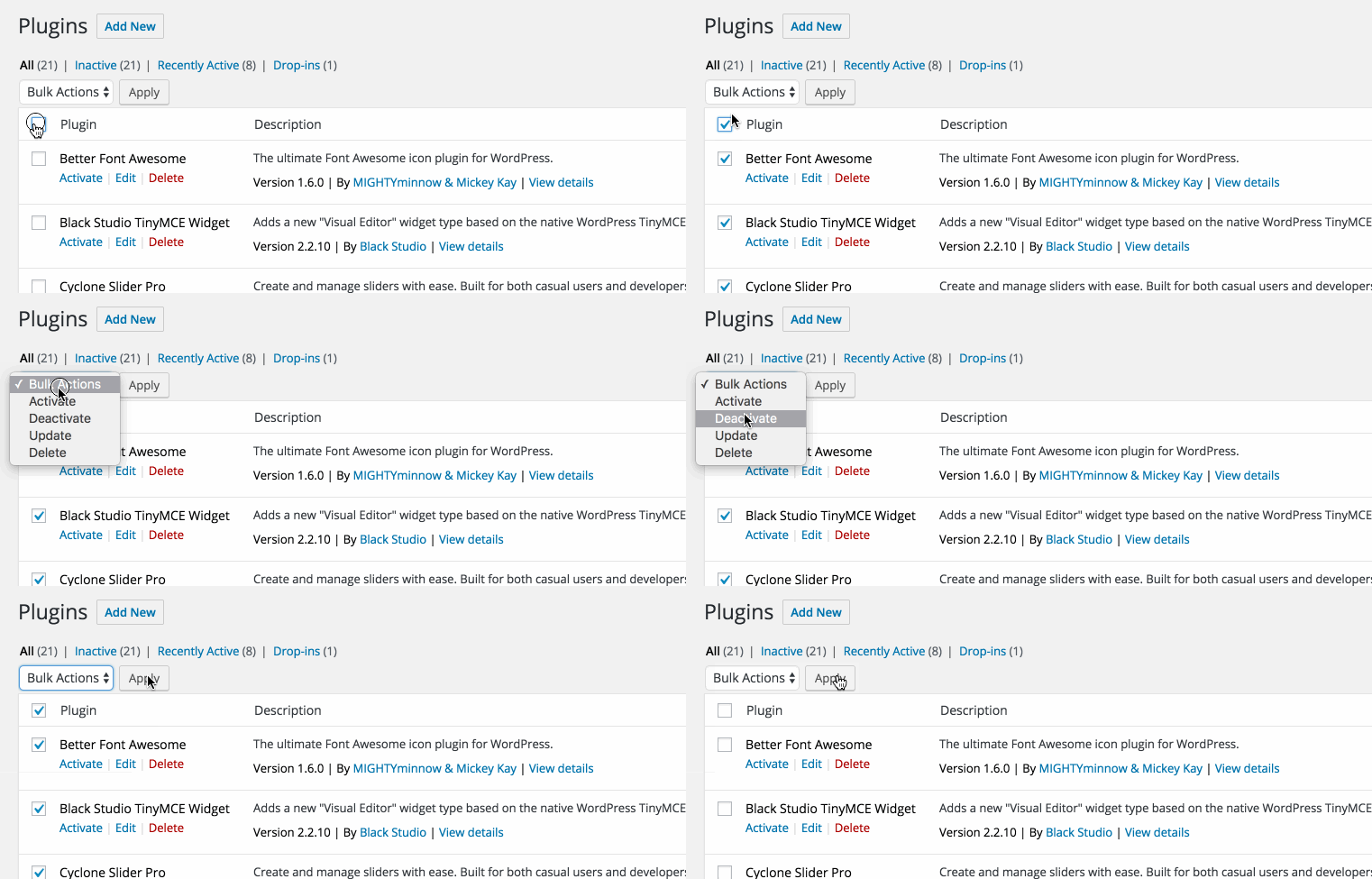
If virtually anything is acting strange or not working, plugins are the culprit the majority of the time. Either they were incorrectly set up or they are just not compatible with your theme or server or they just plain don’t work. This is the first place to start if you are troubleshooting your site.
- Go to the plugins page of your WordPress admin.
- Select all your plugins and in the bulk actions select box click deactivate.
Create Your Website With KadenceWP Today!